
SignMaster CUT+ARMS


Over 300 powerful tools and features at your disposal

Video lessons and tutorials included at no charge

Contour cutting wizard plus print and cut from two or more devices






cut-plus-arms V5 Purchase Options
One Time Purchase Upgrades
One time payment to upgrade from SignMaster CUT+ARMS V1-3.5 to:
$49.50 $67.50
 $210.00
 $420.00
Downloads are available 24/7/365 without restrictions.
Subscription* Upgrades (Monthly Until Canceled)
Month to month subscription to upgrade from SignMaster CUT+ARMS V1-3.5 to:
$7.20$12.00$20.00Downloads are available 24/7/365 without restrictions.
Pay Over Time Upgrades
Choose from a variety of installment options to upgrade from SignMaster CUT+ARMS V1-3.5 or to any V3.5 level.
Downloads are available 24/7/365 without restrictions.
& features, designed perfectly to meet your design workspace needs and expectations.
Browse the creative features for; vinyl lettering, logos, signage, decals, posters and many more.


SignMaster CUT is the first level program used for simple designs. Its features include the creation and production of logos,shapes, lettering, pin-striping and contour cutting. SignMaster CUT has the capability of cutting designs out from a vinyl cutter machine
- Designing artwork from text, curves and shapes
- Providing you with a suite of basic sign design tools and features
- Easily laying out your artwork and designs
- Cutting your artwork from a vinyl cutter
- Exporting your artwork to an Ai, Dxf, Eps, Pdf or Svg file
- Vinyl Lettering
- Ai, Dxf, Eps, Pdf and Svg import/export (inc. text, images, gradients etc.)
- Vinyl spooler for powerful and rapid cutting
- Text and curve tools
- Windows 8.1 , 10 and 11
- All variations in 32/64 Bit)
SignMaster CUT + ARMS is the entry level software capable of being used with an ARMS Cutter. Like CUT it can be used for simple designs. Its features include the creation and production of logos, lettering and contour cutting as well as everything that SignMaster CUT can do.
- Easily laying out your artwork and designs
- Cutting your artwork from a vinyl cutter inc. a laser/ARMS cutters, engraver or router
- Exporting your artwork to an Ai, Dxf, Eps, Pdf or Svg file
- Vinyl Lettering
- Contour cutting wizard plus print and cut from two or more devices
- Ai, Dxf, Eps, Pdf and Svg import/export (inc. text, images, gradients etc.)
- Vinyl spooler for powerful and rapid cutting
- Text and curve tools
- Windows 8.1 , 10 and 11
- All variations in 32/64 Bit)
SignMaster PRO (professional), Our intermediate level design software, can create amazing and captivating designs. Users can design vinyl lettering, pinstriping, logos, signage, and more using the program’s arsenal of potent curve, text, and object tools.
- Easily laying out your artwork and designs
- Cutting your artwork from a vinyl cutter inc. a laser/ARMS cutters, engraver or router
- Exporting your artwork to an Ai, Dxf, Eps, Pdf or Svg file
- Vinyl Lettering
- Craft & Hobby
- Vector effects
- Vectorizer for super accurate tracing of images
- Image editing tools and special image effects
- Contour cutting wizard plus print and cut from two or more devices
- Ai, Eps, Pdf and Svg import/export (inc. text, images, gradients etc.)
- Windows 8.1 , 10 and 11
- All variations in 32/64 Bit)
SignMaster XPT (Expert) is for all your sign making and design needs. It’s packed with high quality cutting tools to design and output; vinyl signs, decals, logos, posters and graphic artwork to be cut out, including contour cutting. SignMaster Expert also includes Cut Documents for high-production output.
- Easily laying out your artwork / designs / creations / logos professionally
- Cutting your artwork from a vinyl cutter inc. a laser/ARMS cutters, engraver or router
- Publishing / exporting your artwork in super-high resolution for a large format printer
- Box, Card & Paper
- T-Shirts and Caps
- Labels, Decals & Stickers
- Sign Shops
- Production
- 3D modeling and vector effects
- Vectorizer for super accurate tracing of images
- Image editing tools and special image effects
- Contour cutting wizard plus print and cut from two or more devices
- Ai, Dxf, Eps, Pdf and Svg import/export (inc. text, images, gradients etc.)
- Professional text, curve and image tools and features
- Windows 8.1 , 10 and 11
- All variations in 32/64 Bit)
SignMaster ART (Architect) is our ultimate full-featured software, including everything found in SignMaster CUT, CUT +ARMS, PRO, XPT, and more. ART provides a solution for all of your print, print and cut, and vinyl cutting workflow needs thanks to its vast array of modules, tools, features, and extras.
- Designing super high quality artwork for both print and cut
- Providing you with the most powerful suite of design tools on the market
- Designing and creating artwork for offset printing and related industries
- Publishing / exporting your artwork in super-high resolution for a large format printer
- Education
- Government
- Print Shops
- T-Shirts and Caps
- Craft & Hobby
- 3D shading, 3D modeling and vector effects
- Vectorizer for super accurate tracing of images
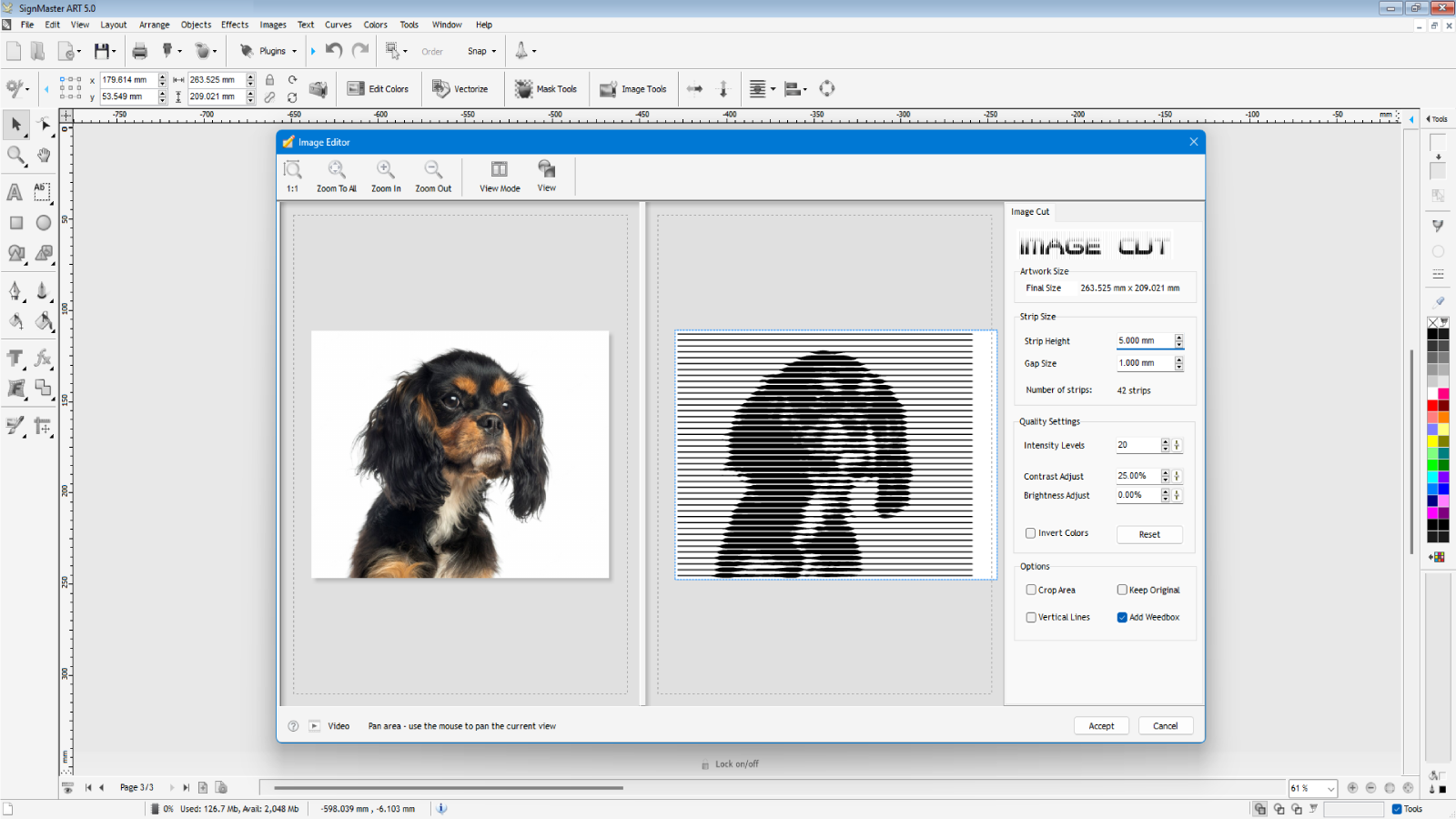
- Image editing tools and special image effects
- Mask editor for professional background removal, vignettes and transparencies
- Font Detective with OCR (works with color artwork)
- Windows 8.1 , 10 and 11
- All variations in 32/64 Bit)
- Intel Quad-Core+ (32/64Bit)
- 10Gb+ of available Hard Disk Drive space
- 8Gb+ RAM • DVD Read/Write Drive
- 24”+ Color monitor (1920 Pixels+ Wide)
- 2Gb+ Video/Graphics card
- 2 Button Scrolling Wheel Mouse
- Sound & Speakers
- Microsoft Windows 8.1, 10 or 11 Home (64bit)
- Intel/AMD 3Ghz+ CPU
- 50Gb+ of available Hard Disk Drive space
- 32Gb+ of RAM
- 24”+ HD Color monitor (1920 Pixels+ Wide) x 2
- 8Gb+ Video/Graphics card
- 2 Button Scrolling Wheel Mouse
- Sound & Speakers
- Microsoft Windows 11 Pro (64Bit)